

Trip Tracka keeps vehicle service schedules, work completed, costs and spare-part details together so you can see what has been done and what is next.
What you get with the vehicle maintenance log
Save what was done, when it happened and what it cost.
Track the distance left until scheduled work is due.
Keep part numbers, descriptions and quantities together.
Keep a record of service costs and available invoice files.
View maintenance beside the vehicle you use for fuel tracking.
How it works in Trip Tracka
- 1
Add a vehicle
Save the vehicle in Assets & Maintenance and keep its odometer reading current.
- 2
Set maintenance items
Add an item with a distance interval and the reading from the previous service.
- 3
Log work and parts
Mark completed work, keep cost or invoice details and save useful spare-part numbers.
See it in action
Explore how this feature works in Trip Tracka.
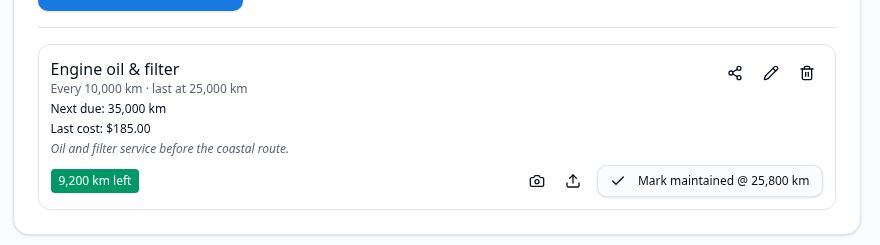
Add the vehicles you travel with, then record each service and repair against the right one. A separate record makes it easier to check when work was done and how much it cost.
For recurring work, set a kilometre interval and a previous service reading. The vehicle area shows the distance remaining as you update its odometer.
Keep spare-part numbers and quantities with the vehicle so they are easier to find when you need them.
- Per-vehicle records
- Service history and costs
- Kilometre-based schedule
- Invoice files
- Spare-part register
- Fuel and vehicle details together
Frequently asked questions
Can I add more than one vehicle?+
Yes. Keep records for separate vehicles and switch between them in the vehicle area.
What does a service schedule contain?+
Record the service name, kilometre interval, previous service reading and date, notes and an invoice where relevant.
Can I save spare parts?+
Yes. Keep part numbers, descriptions and quantities with your vehicle records.
How do I see what is due?+
Trip Tracka compares the vehicle's recorded distance with the service interval and shows how many kilometres remain.
Explore Trip Tracka
Start planning your next trip
Free to start. No credit card needed.