

Trip Tracka lets you log fuel purchases with litres, price, odometer and vehicle details, then review fuel spend, economy and cost per kilometre.
What you get with the fuel tracker
Log amount, litres, price, date and fuel type.
Use odometer readings to see what distance costs you.
Filter records and trends to the vehicle you are using.
Review how fuel economy and spend change between fill-ups.
Link a fuel expense to the trip that incurred it.
How it works in Trip Tracka
- 1
Choose a vehicle
Select a saved vehicle in Fuel, or add one before logging its first fill-up.
- 2
Log each fill-up
Record the date, amount, litres, odometer reading and fuel type where available.
- 3
Check the trend
Review spending and fuel economy for that vehicle as more readings are recorded.
See it in action
Explore how this feature works in Trip Tracka.
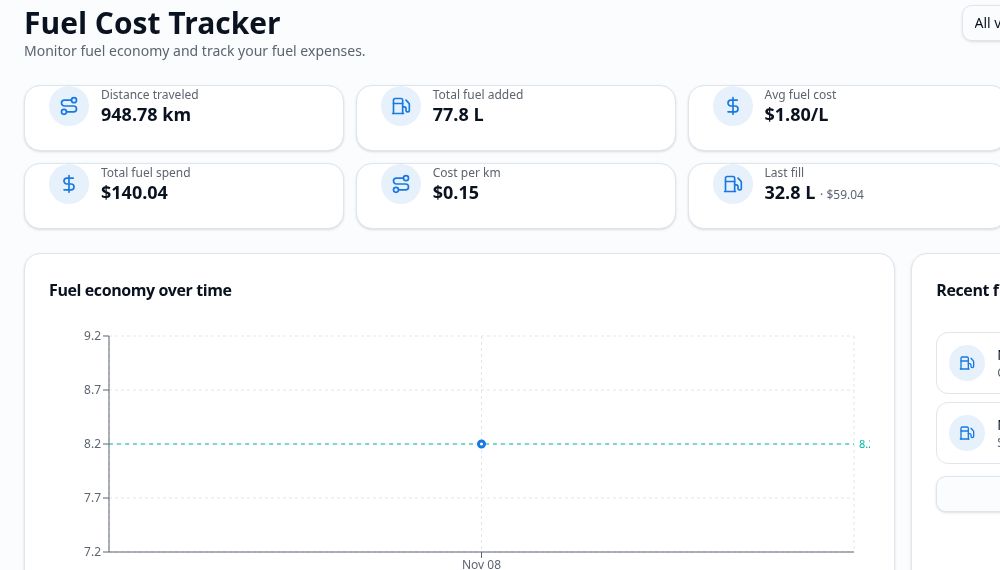
Log a fill-up with its cost, litres and odometer reading. A series of records helps you see how much fuel a vehicle uses and what its journeys cost.
When a trip is selected, link the fuel entry to that trip so the spend appears with your other travel expenses.
Compare vehicles from the fuel area without mixing their histories together.
- Fill-up costs and litres
- Odometer readings
- Fuel economy
- Cost per kilometre
- Vehicle filter
- Trip-linked expenses
Frequently asked questions
What details can I log for a fill-up?+
Record the amount paid, litres, price per litre, odometer, fuel type and vehicle where available.
Can I use it with more than one vehicle?+
Yes. Select a vehicle to view the fuel records and trends for that one vehicle.
Does it show fuel economy?+
Yes. The fuel area calculates economy and spend trends when entries have the readings needed.
Does fuel count toward trip spending?+
Fuel is recorded as a travel expense, and an entry can be linked to a trip.
Explore Trip Tracka
Start planning your next trip
Free to start. No credit card needed.