

Describe the trip you want and Trip Tracka's AI planner suggests a route, stops, drive times and a budget estimate. Review the preview, refine it and save it as a trip you can edit.
What you get with the AI trip planner
Start from your travel prompt and get a suggested sequence of places.
Review locations on a map before adding the plan to your trips.
Use rough cost estimates as a starting point for your trip budget.
See suggested distances and driving time between stops.
Adjust the plan and share it with a friend when it is ready.
Factor estimated driving and fuel usage into the plan.
How it works in Trip Tracka
- 1
Describe the journey
Write where you want to go, the time you have and the stops that interest you.
- 2
Check the preview
Review the suggested route, places, travel time and estimated costs. Refine the result in the planner.
- 3
Save an editable trip
Save the plan to Your trips, where you can adjust the route and add real expenses.
See it in action
Explore how this feature works in Trip Tracka.
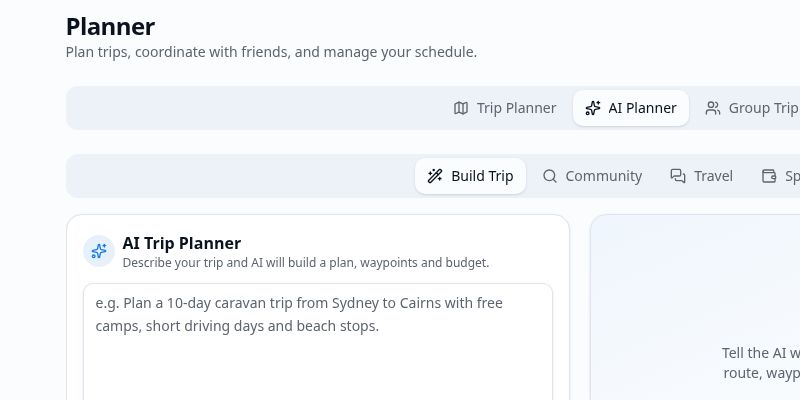
Write a brief such as a ten-day road trip with short driving days and a few camping stops. The planner turns that into a route preview with suggested places and travel estimates.
Read through the preview, refine what does not fit and save it to your trips. You can then keep planning stops, expenses and stays in the normal Trip Tracka workspace.
AI suggestions can be incomplete or out of date. Check important travel details yourself before booking or driving.
- Prompt-based planning
- Suggested route and stops
- Distance and travel-time estimates
- Budget and fuel estimates
- Refine before saving
- Editable saved trips
Frequently asked questions
What does the AI trip planner make?+
It suggests stops and a route, estimates distance, travel time and costs, and shows a preview before you decide to save the trip.
Can I change an AI plan?+
Yes. Refine the suggested plan before saving and edit the saved trip afterwards.
Can I try it for free?+
You can try the AI planner with a free account. The app shows your available usage and whether more planning requires an upgrade.
Are the cost estimates guaranteed?+
No. They are planning estimates. Check current prices, route conditions and opening times before you travel.
Explore Trip Tracka
Start planning your next trip
Free to start. No credit card needed.